


Latency only stable while WinMTR is pinging
|
My latency has gone out of hand:
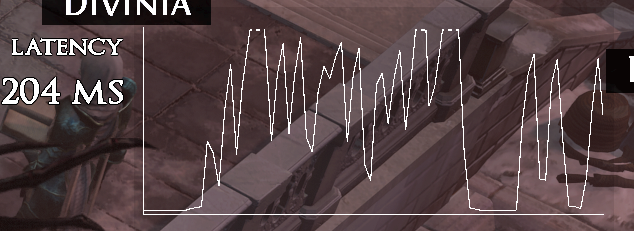 But if I start pinging some server, either via terminal or with WinMTR, then the latency stabilizes: 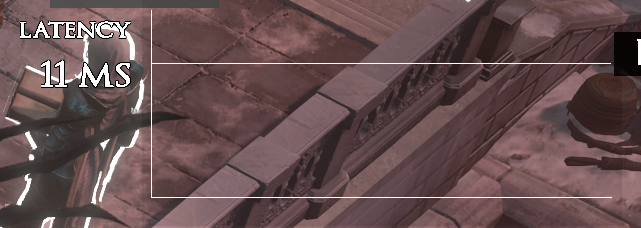 But only for as long as the ping is going on. If I stop pinging, it jitters again. This is very weird, I have no idea why and it makes it very hard to debug, as WinMTR will show no issues. Also the weirdest part - I don't even have to ping PoE servers, pinging any server will do. I suspect my router is doing something weird but I have no idea how to debug further, any thoughts? WinMTR report: https://pastebin.com/uk24UVg6 Last edited by gabrieltaets#5889 on Dec 21, 2025, 2:57:03 AM Last bumped on Dec 21, 2025, 6:02:38 AM
|

|
|
The dearth of information is a bit unhelpful, to be honest...
You think your router might be responsible; no manufacturer, no model, no firmware version provided. You're posting about an issue with your internet connection; no specifics on whether it's WiFi, an Ethernet cable, a powerline adapter kit. The problem occurs when you play Path of Exile; maybe you do this on Windows, maybe you do it on macOS, maybe you do it on Xbox, maybe you do it on PlayStation. It isn't officially supported, but maybe you do it on Linux. If Windows, maybe it's Windows 10 or maybe it's Windows 11. Maybe it's a desktop or maybe it's laptop. If it's a laptop, knowing the manufacturer would be helpful. Some install and auto-run """helpful""" utilities that modify power management settings to maximise battery life. My first thought would be the device you play on has a network adapter with power management settings or an "eco" mode that's rapidly turning it off and on many times per second to save power - disabling that (and then rebooting) should fix it. My second thought would be your router has a setting enabled that needs to be disabled. Look for anything along the lines of "power management", "power savings", "eco mode" and then it off. While doing so, it wouldn't be a bad shout to check for any "traffic shaping", "quality of service", or "QoS" settings and disabling them if they're active. If none of those help, we might need to reset the networking stack. I'll probably need to write step-by-step instructions on how to do this, but I don't currently know enough about your device. If it's a Windows-based laptop, it's moderately likely to bloatware installed by the manufacturer. We need to know who the manufacturer is. We would like to know the model, but that's less vital. Any device with a battery could just have power management settings that need to chill out. Knowing whether the issue persists while the device is plugged in would be helpful. If all else fails, changing the connection type (e.g. changing from WiFi to Ethernet cable) and telling us whether the problem still occurs would be informative. GGG do not offer first-party Technical Support.
Free Technical Support guides are available here: https://www.poecommunity.help No ads, trackers, or other weird stuff. |

|



